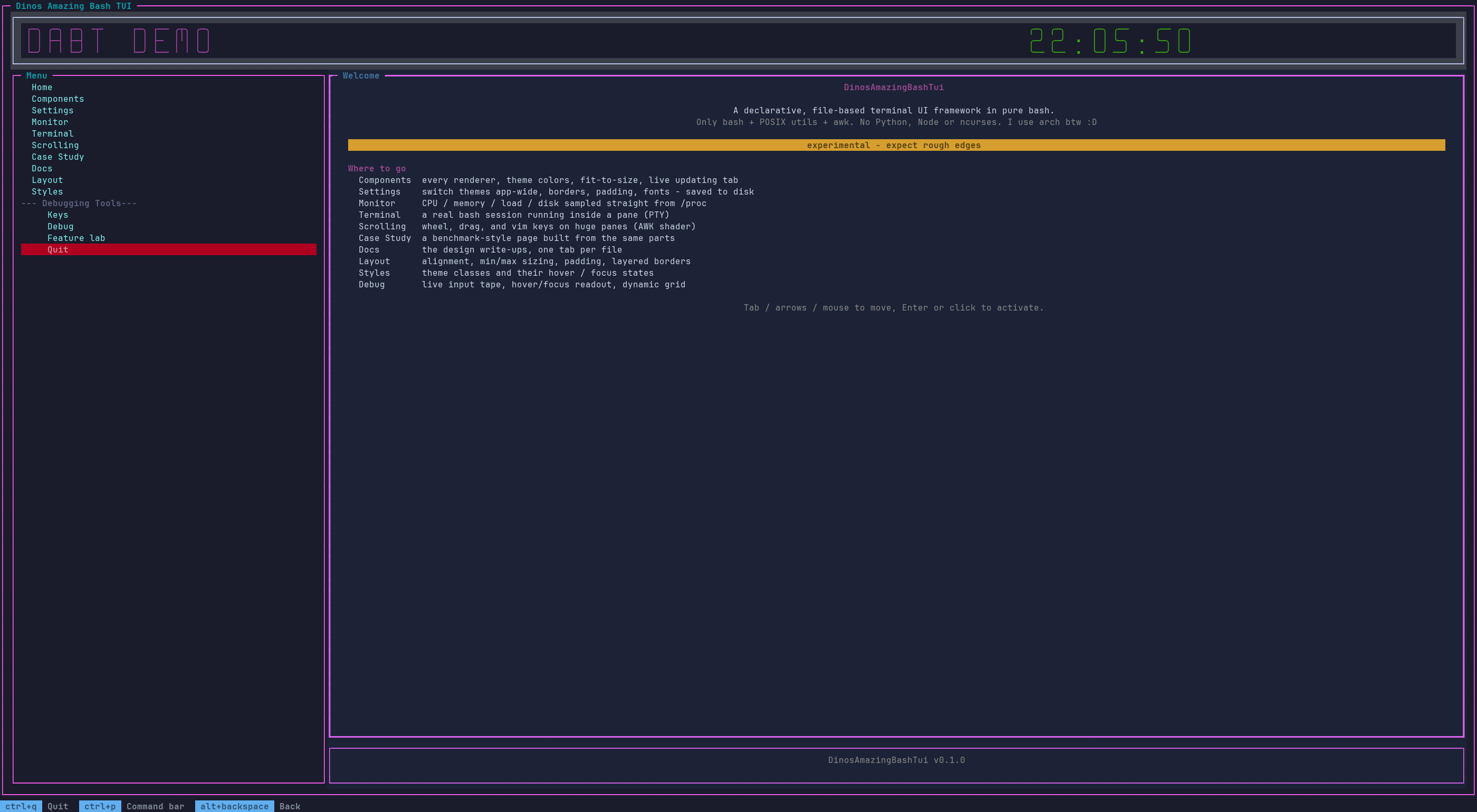
DinosAmazingBashTui is a terminal UI framework in pure bash (5.0+) plus POSIX utilities and awk. No Python, Node or ncurses.
This page is the map: how the framework is put together, and where to look for what.
Where to look
| I want to… | Read |
|---|---|
| New here? Build a working app step by step | tutorials/writing-your-first-app.md |
| New here? Write a plugin step by step | tutorials/writing-your-first-plugin.md |
| Structure, package and ship an application (technical guide) | guide/writing-an-app.md |
| Build a page from XML (panes, grids, tabs, includes, themes) | guide/markup.md |
| Understand grids and tabs in depth | guide/grid-layouts-and-tabs.md |
| Write callbacks, hover/focus feedback and scrolling viewports | guide/callbacks-and-viewports.md |
| Bind keys and mouse, use the command bar, footer, default pages | guide/input-bindings.md |
| Text editing, textarea, list, table, select, progress | guide/widgets.md |
| Write, install and manage plugins; where DABT keeps its files | guide/plugins.md |
| Install DABT, update it from GitHub, resolve conflicts | guide/install-and-update.md |
| Look up any function and its parameters | api/ - one page per module, plus search (press /) |
| Read the API grouped by topic, with examples | api/README.md |
| Use the renderers (box, table, charts, banner…) without the TUI | api/renderers.md, examples/csv-charts |
| Know why scrolling / hover / caching are built the way they are | design/ |
| See what changed | ../CHANGELOG.md |
| Profile or screenshot the demo | ../tools/debug/README.md |
Fastest start: copy share/demo/home.xml + bin/DABT_demo.sh, then read guide/markup.md.
Real-world example app: DABT File Explorer. Writing an app in an editor? DABT Tools is a companion VS Code extension: inlay hints and signature help for dabt function arguments, class= completion with live theme-aware color swatches, and required-attribute markers on your XML markup.
High-level architecture
flowchart TB
  app["<b>Your app</b><br/>page.xml, theme.css, page_callbacks.sh"]
  markup["<b>markup/tui_markup.sh</b><br/>XML parser + page cache"]
  styl["<b>style/tui_style.sh</b><br/>theme.css to colours"]
  core["<b>tui.sh + state.sh</b><br/>layout, input, render loop"]
  helpers["<b>Topic dirs</b><br/>input/, chrome/, widgets/<br/>config/, plugin/, apps/"]
  rend["<b>terminal_renderer.sh</b><br/>box, table, charts<br/>(usable standalone)"]
  ctl["<b>terminal_controls.sh + colors.sh</b><br/>raw ANSI, no state"]
  tty(["Terminal"])

  app -->|"tui.load / tui.goto"| markup
  app -->|"theme"| styl
  markup -->|"tui.* builder calls"| core
  styl --> core
  helpers --> core
  core -->|"action callbacks"| app
  core --> ctl
  rend --> ctl
  ctl -->|"ANSI"| tty
Layers (load order in lib/tui.sh)
lib/ puts shared/public files at its root and groups the rest by topic into subdirectories - see the API index for the matching per-module API pages.
| Layer | File | Job |
|---|---|---|
| Terminal primitives | terminal_controls.sh, colors.sh |
Cursor, erase, SGR, modes, mouse, OSC. Stateless one-liners that print escape sequences. |
| State | state.sh |
tui.sh’s global state (pane geometry, widget registries, background-exec instances) extracted into one file. |
| Markup | markup/tui_markup.sh |
Parses XML pages into tui.* calls. tui.start FILE = init + load + run + cleanup. tui.goto switches page. |
| Style | style/tui_style.sh |
theme.css (.class, :focus, :hover, :border, :title) resolved to fg/bg/mods per pane/widget. |
| Core | tui.sh |
Pane tree + layout engine (hsplit/vsplit/grid/fixed), widgets, focus, mouse routing, render (AWK “shader” viewports), main loop, tui.exec. |
| Input | input/tui_input.sh |
Key/mouse binding tables, dispatch, defaults (share/defaults/keybinds.xml), paste, focus movement, user keybind persistence. |
| Commands | chrome/tui_cmd.sh, chrome/tui_modal.sh, chrome/tui_footer.sh, chrome/tui_dialog.sh |
Command registry + palette, overlay/modal layer, <footer/> key-hint bar, dialogs and toasts. |
| Widgets | widgets/tui_widgets.sh, widgets/tui_text.sh |
Widget constructors and the shared text-editing engine (input, password, textarea). |
| Home + plugins | tui_home.sh, plugin/tui_plugin.sh |
Where files live (~/.config/DABT/), app metadata, and the plugin system with hooks. |
| Config | config/tui_config.sh |
Persisted framework settings (~/.config/DABT/apps/<app>/dabt.conf). |
| Cache | markup/tui_cache.sh |
Page record/replay cache, stylesheet memo, on-disk cache, warm-up. |
| App lifecycle | apps/tui_apps.sh, apps/tui_install.sh, apps/tui_sync.sh, apps/tui_update.sh, apps/tui_scan.sh |
dabt app/dabt update install, sync and security-scan machinery. |
| Public helpers | tui_api.sh |
Getters, live helpers (tui.every, tui.clock, tui.watch, tui.monitor), theme overlay, style helpers. |
| Renderers | terminal_renderer.sh |
box, table, hbar, linechart, banner… each with a printing and a _string form. Usable with no TUI at all. |
| Packaging | dapk/ |
.dapk build/sign/verify/publish - the module behind dabt build / dabt pkg. |
What happens when a page loads
tui.goto page.xml(ortui.start) →tui.load_cached. If the page’s call log is cached and its files (page + includes) are unchanged it is replayed; otherwise the XML is parsed once and recorded.- The parser/replay issues builder calls:
tui.hsplit,tui.label,tui.button,tui.pane_border,tui.footer.set,tui.bind… Nothing is drawn yet. <script>files are sourced, the theme is applied, then layout runs (_tui._layout) andon_visitfires.tui.renderdraws every pane, widget and content buffer inside one synchronized-output frame (mode.sync_start/end).- Overlays (footer, modal/palette, kill-switch box) are drawn on top after each flushed frame.
The main loop (tui.run)
One loop iteration reads input (read -t, keyboard + SGR mouse), decodes it into an event (TUI_EVENT_*), and dispatches through the binding tables. Then it flushes any debounced render, runs _TUI_TICK_FN, redraws overlays (only after a frame was flushed) and calls every listener registered with tui.tick.add. tui.every, tui.clock, tui.watch, tui.monitor and tui.exec all ride one shared tick listener, so a page can run many live things without owning the loop.
Input dispatch
user binds → code binds (tui.bind, <bind>) → framework defaults (share/defaults/keybinds.xml), first match wins. Defaults are grouped (focus, pane, scroll, click, wheel, …) and opt-out per app or page (tui.defaults.off GROUP). Details: guide/input-bindings.md.
Design rules that shape the code
- No external dependencies. POSIX utilities +
awkonly. - Subshells are a last resort.
$(...)is a fork (~1 ms), so hot paths useprintf -v, here-strings, namerefs,EPOCHREALTIMEandread < file. Builders that would return text through a subshell have_vvariants that write a result variable. - Redraw only what changed. Content is change-detected (
tui.set_text), scroll/content redraws are debounced, and overlays redraw only after a real frame. - Public vs private.
tui.*,mode.*,cur.*… are public. Anything starting with_(_tui.*,_exec_*,_tr_*,_tui_input.*) is private: never call it from callbacks or config. - Multi-instance
tui.exec. Never assume one process per pane; instances are keyede1,e2, … - Page-level work uses
tui.tick.add._TUI_TICK_FNis a legacy single slot; overwriting it breaks concurrenttui.exec. - Callbacks stay thin. A callback is a plain bash function that calls public
tui.*functions.
App layout
my_app/
  bin/run.sh                 source tui.sh; TUI_APP_NAME=my_app; tui.start config/home.xml
  config/
    home.xml  other.xml      pages (HTML-like)
    _nav.xml                 shared fragment, <include src="_nav.xml"/>
    home_callbacks.sh        functions referenced by action="..." / on_visit="..."
    theme.css                <theme src="theme.css"/>
    themes/*.css             optional app-wide theme overlays (Settings / palette pick from here)
share/demo/ is a complete working app. The framework’s own defaults live in share/defaults/ (keybinds.xml, commands.xml, theme.css, pages/ for the built-in Settings and Keybinds pages); override the directory with TUI_DEFAULTS_DIR.
Environment variables
| Variable | Default | Meaning |
|---|---|---|
TUI_APP_NAME |
dabt |
The application’s id (set BEFORE sourcing tui.sh): its files live in ~/.config/DABT/apps/$TUI_APP_NAME/ (dabt.conf, keybinds.xml, settings.conf, app.meta). |
TUI_HOME |
~/.config/DABT |
DABT’s home. Plugins you install go in $TUI_HOME/plugins (TUI_PLUGINS_DIR). |
TUI_DEFAULTS_DIR |
share/defaults |
Where default keybinds, commands, theme and shipped pages are read from. |
TUI_THEMES_DIR |
<app dir>/themes |
Themes offered by Settings and the palette (falls back to the shipped share/defaults/themes; the palette always lists those too). |
TUI_USER_KEYBINDS |
$TUI_APP_CONF/keybinds.xml |
Saved user keybinds file. |
TUI_CONFIG_FILE |
$TUI_APP_CONF/dabt.conf |
Persisted framework settings. |
TUI_FOOTER_DEFAULT |
quit, command bar, back | Default <footer/> items. |
TUI_INPUT_RETAIN_ON_SUBMIT |
true |
Whether inputs keep focus after Enter (per input: tui.input.retain). |
TR_WIDTH |
terminal width | Renderers: force the width they lay out to (e.g. a pane’s width). |
TUI_MOUSE_DRAIN_PEEK_TIMEOUT |
small, > 0 | Mouse-motion coalescing peek. Never set to 0 (read -t 0 consumes nothing). |
Design write-ups
Long-form explanations of the non-obvious performance decisions. Read them before reimplementing scrolling, hover or caching.
| Document | Topic |
|---|---|
| design/viewport-scrolling.md | Why scrolling is an AWK “shader” and how to keep wheel/drag fast. |
| design/pointer-tracking-and-hover.md | Low-latency mouse tracking and hover resolution. |
| design/grid-geometry-and-widget-factories.md | Grid geometry, container abstractions and runtime widget factories. |
| design/write-ahead-logging-and-replay.md | The page cache: recording builder calls and replaying them deterministically. |
| design/rebindable-input-and-developer-ergonomics.md | The 0.0.6 UX/DevX decisions: bindings as data, opt-out defaults, command bar, overlays, focus, live helpers. |
Debugging and tooling
tools/debug/ holds the profiling and screenshot tools (page-switch timings, per-call fork counts, full profile, PNG screenshots of every page and theme); see ../tools/debug/README.md. .tui_exec.log is the runtime debug log written by tui.log*.